Take your stream global with a real-time voice AI translator












Built for streamers, broadcasters, and live educators


How it works
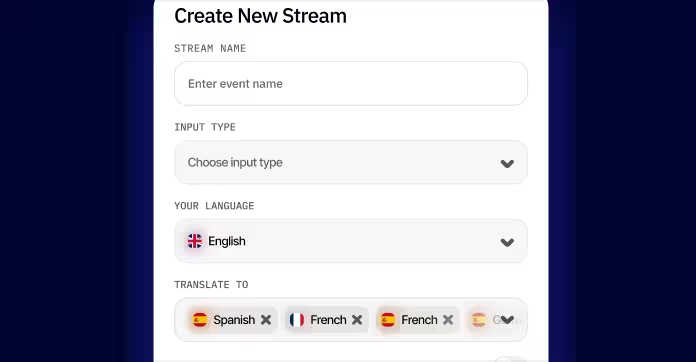
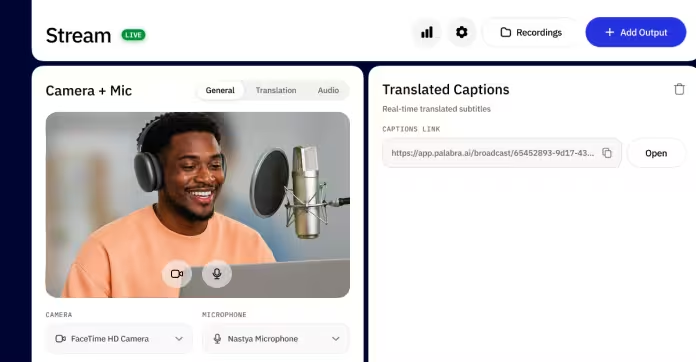
Run your next stream in every language your viewers speak
A proprietary translation LLM that hears nuance, slang, and context





Why user choose Palabra.ai

We used Palabra during a recent metaverse event hosted on Walcon Virtual, and it added great value to the experience. The live translation helped us reach a broader audience and made the event more accessible

We used Palabra.ai for a webinar and it worked really well. The host was speaking Spanish and we listened in English with no delay. There is almost no setup, it was super quick and everything ran good.


“We like Palabra interpretation as either in Chinese or English, the translated speech is more concise and coherent, making it easier to either read or listen to. Also, Palabra is able to detect language change and yield corresponding interpretation. This is good if we use it during a fireside discussion.”
Fast setup, easy to use

“At EventLabs, we rely on Palabra for real-time translation during conferences and live events. Among all the solutions we’ve tested, Palabra stands out with the highest translation quality and the lowest latency by a significant margin. The platform’s speaker autodetection, differentiating between male and female voices and adapting translations in real time, has noticeably improved the listener experience. For us, Palabra is setting the benchmark for event translation technology.”
Integrated into our customer support platform

We used Palabra translator in our call center for partner calls in European languages like Spanish, French, and German, especially when the other side didn’t speak English. It helped us handle difficult language pairs and made rental deposit confirmation calls faster and more successful. The glossary feature was a big plus for our jargon, keeping translations accurate and natural.
9.3× cheaper than human translation. Even cheaper once you stop paying for studios, casters, and editors.
Common questions, plain answers
About 60 seconds. Sign up with Google, set up your stream, paste the SRT/RTMP endpoint into OBS, hit Go Live.
On the encoder side — OBS, vMix, and any tool that pushes SRT or RTMP. On the destination side — YouTube, Twitch, Vimeo, Restream, and any SRT/RTMP-compatible platform.
Yes. Blend original and translated audio in any ratio — keep both at speaking volume, fade the original under the dub, or run translation-only.
A configurable delay on the original stream lets you align the dub with the speaker's mouth — set it once for your setup, it stays consistent across the broadcast.
Yes. Voice cloning activates only when the speaker authorizes it from their own account. Palabra never clones a voice without explicit consent.
Internal benchmark, April 2026: 2.4% average word error rate across 8 languages — 31% lower than the nearest rival. Custom glossaries let you pin terms, brand names, and speaker-specific jargon so they translate consistently across every broadcast.
Audio is processed in memory only — nothing is stored on our servers. GDPR-compliant and ISO 27001-certified.
Palabra runs on flat monthly subscription plans, each with an included translation quota. Pick the tier that fits your streaming volume. The 3-day free trial gives you enough to evaluate before choosing.