.svg)
60 languages

99.9% SLA
.svg)
$0.04 /min
Voice Translation API for Real-Time Speech
Palabra.ai gives you an out-of-the-box two-way speech-to-speech translation API. Powered by our own models, it delivers human-level accuracy with <1s latency.
Built for production. Certified for compliance.
Cloud, self-hosted, or on-premises.


certified
.svg)


Language auto-detection

Tone and context conveyed

Voice cloning out of the box

Ultra-low latency

Custom glossaries

Feedback on our real-time
translation services

“At EventLabs, we rely on Palabra for real-time translation during conferences and live events. Among all the solutions we’ve tested, Palabra stands out with the highest translation quality and the lowest latency by a significant margin. The platform’s speaker autodetection, differentiating between male and female voices and adapting translations in real time, has noticeably improved the listener experience. For us, Palabra is setting the benchmark for event translation technology.”

“We built our product entirely on the Palabra API and it’s been an incredible foundation for what we do at Talo. The API’s natural language processing capabilities are reliable and accurate, which allowed us to bring real-time translations and captions to our users without starting from scratch.”
Designed for what you build
Impress your speakers and guests with Live Translation powered by Palabra’s very own language models, offering state-of-the-art accuracy and small latency


custom glossaries.
What Teams Build with Our Speech Translation API



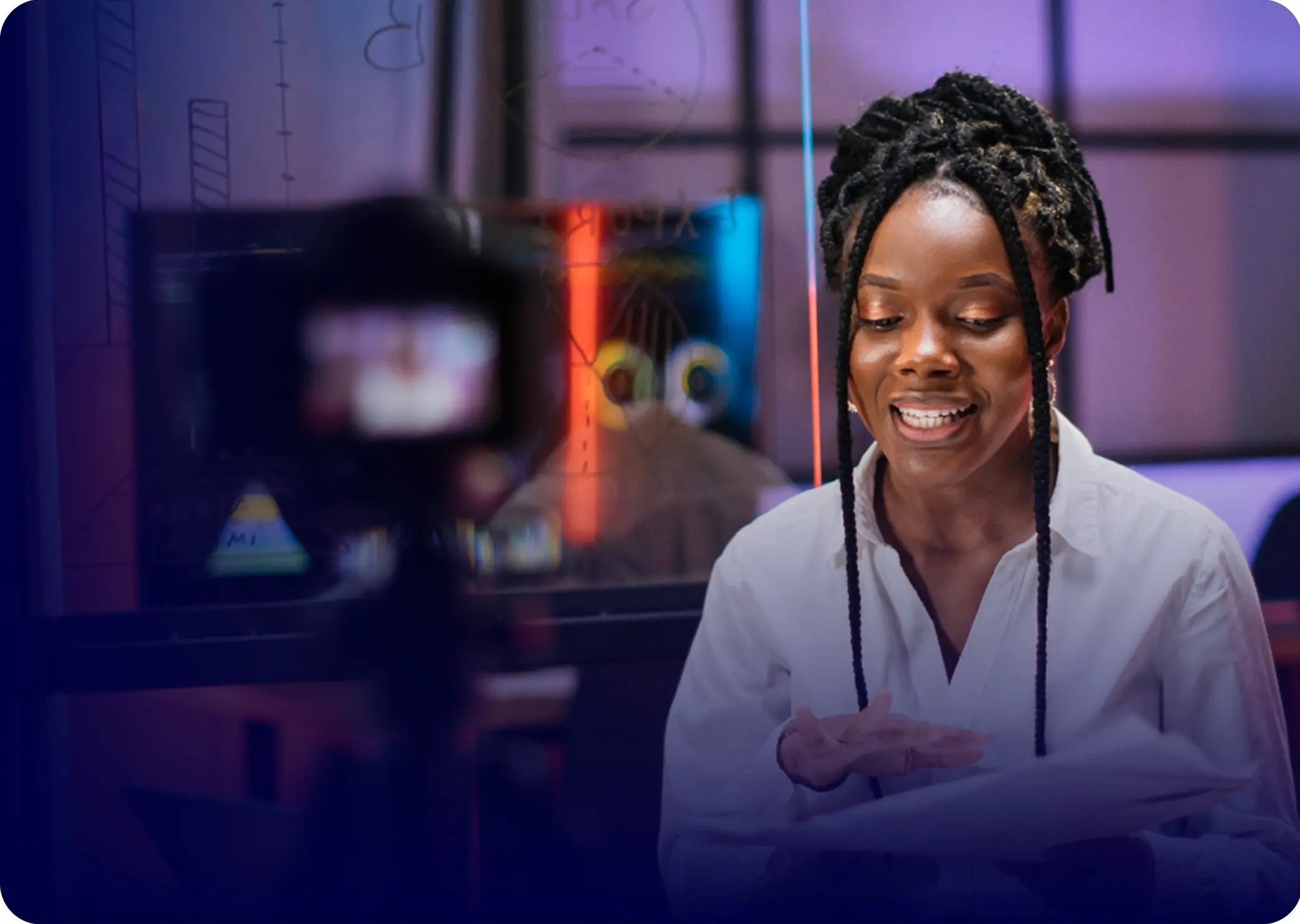

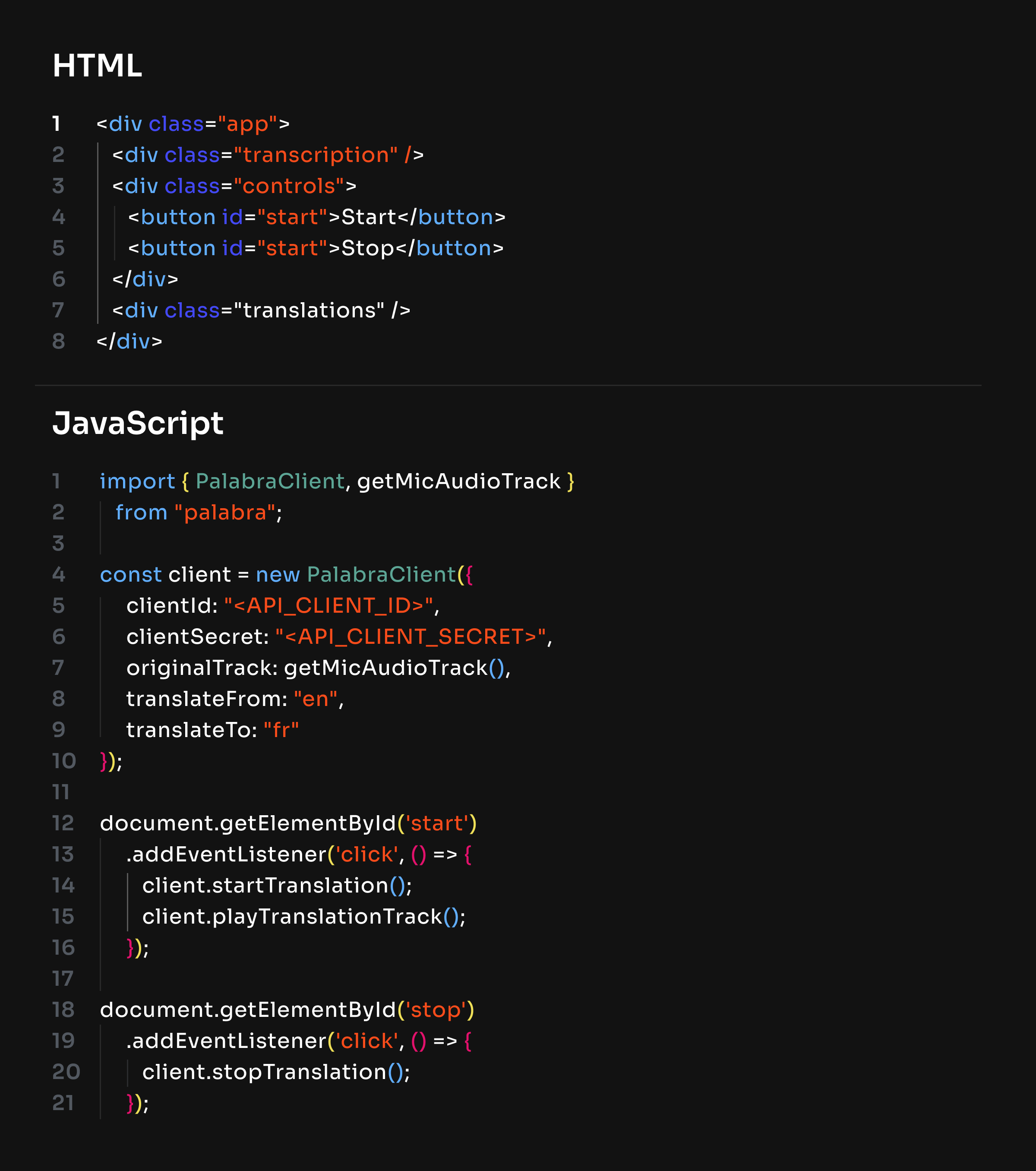
How Our Speech to Speech Translation API Works in 4 Steps

HTML
1
2
3
4
5
6
7
8
<div class="app">
<div class="transcription" />
<div class="controls">
<button id="start">Start</button>
<button id="start">Stop</button>
</div>
<div class="translations" />
</div>
JavaScript
1
2
3
4
5
6
7
8
9
10
11
12
13
14
15
16
17
18
19
20
21
import { PalabraClient, getMicAudioTrack }
from "palabra";
const client = new PalabraClient({
// auth: { userToken: '<API_KEY>' },
// originalTrack: getMicAudioTrack(),
// translateFrom: "en",
// translateTo: "fr"
});
// document.getElementById('start')
// .addEventListener('click', () => {
// client.startTranslation();
// client.playTranslationTrack();
// });
// document.getElementById('stop')
// .addEventListener('click', () => {
// client.stopTranslation();
// });

HTML
1
2
3
4
5
6
7
8
<div class="app">
<div class="transcription" />
<div class="controls">
<button id="start">Start</button>
<button id="start">Stop</button>
</div>
<div class="translations" />
</div>
JavaScript
1
2
3
4
5
6
7
8
9
10
11
12
13
14
15
16
17
18
19
20
21
import { PalabraClient, getMicAudioTrack }
from "palabra";
const client = new PalabraClient({
auth: { userToken:, '<API_KEY>' } ,
clientSecret: "<API_CLIENT_SECRET>",
// originalTrack: getMicAudioTrack(),
// translateFrom: "en",
// translateTo: "fr"
});
// document.getElementById('start')
// .addEventListener('click', () => {
// client.startTranslation();
// client.playTranslationTrack();
// });
// document.getElementById('stop')
// .addEventListener('click', () => {
// client.stopTranslation();
// });
HTML
1
2
3
4
5
6
7
8
<div class="app">
<div class="transcription" />
<div class="controls">
<button id="start">Start</button>
<button id="start">Stop</button>
</div>
<div class="translations" />
</div>
JavaScript
1
2
3
4
5
6
7
8
9
10
11
12
13
14
15
16
17
18
19
20
21
import { PalabraClient, getMicAudioTrack }
from "palabra";
const client = new PalabraClient({
auth: { userToken:, '<API_KEY>' } ,
originalTrack: getMicAudioTrack(),
translateFrom: "en",
translateTo: "fr"
});
// document.getElementById('start')
// .addEventListener('click', () => {
// client.startTranslation();
// client.playTranslationTrack();
// });
// document.getElementById('stop')
// .addEventListener('click', () => {
// client.stopTranslation();
// });
HTML
1
2
3
4
5
6
7
8
<div class="app">
<div class="transcription" />
<div class="controls">
<button id="start">Start</button>
<button id="start">Stop</button>
</div>
<div class="translations" />
</div>
JavaScript
1
2
3
4
5
6
7
8
9
10
11
12
13
14
15
16
17
18
19
20
21
import { PalabraClient, getMicAudioTrack }
from "palabra";
const client = new PalabraClient({
auth: { userToken:, '<API_KEY>' },
originalTrack: getMicAudioTrack(),
translateFrom: "en",
translateTo: "fr"
});
document.getElementById('start')
.addEventListener('click', () => {
client.startTranslation();
client.playTranslationTrack();
});
document.getElementById('stop')
.addEventListener('click', () => {
client.stopTranslation();
});
HTML
1
2
3
4
5
6
7
8
<div class="app">
<div class="transcription" />
<div class="controls">
<button id="start">Start</button>
<button id="start">Stop</button>
</div>
<div class="translations" />
</div>
JavaScript
1
2
3
4
5
6
7
8
9
10
11
12
13
14
15
16
17
18
19
20
21
import { PalabraClient, getMicAudioTrack }
from "palabra";
const client = new PalabraClient({
// clientId: "<API_CLIENT_ID>",
// clientSecret: "<API_CLIENT_SECRET>",
// originalTrack: getMicAudioTrack(),
// translateFrom: "en",
// translateTo: "fr"
});
// document.getElementById('start')
// .addEventListener('click', () => {
// client.startTranslation();
// client.playTranslationTrack();
// });
// document.getElementById('stop')
// .addEventListener('click', () => {
// client.stopTranslation();
// });

HTML
1
2
3
4
5
6
7
8
<div class="app">
<div class="transcription" />
<div class="controls">
<button id="start">Start</button>
<button id="start">Stop</button>
</div>
<div class="translations" />
</div>
JavaScript
1
2
3
4
5
6
7
8
9
10
11
12
13
14
15
16
17
18
19
20
21
import { PalabraClient, getMicAudioTrack }
from "palabra";
const client = new PalabraClient({
clientId: "<API_CLIENT_ID>",
clientSecret: "<API_CLIENT_SECRET>",
// originalTrack: getMicAudioTrack(),
// translateFrom: "en",
// translateTo: "fr"
});
// document.getElementById('start')
// .addEventListener('click', () => {
// client.startTranslation();
// client.playTranslationTrack();
// });
// document.getElementById('stop')
// .addEventListener('click', () => {
// client.stopTranslation();
// });
HTML
1
2
3
4
5
6
7
8
<div class="app">
<div class="transcription" />
<div class="controls">
<button id="start">Start</button>
<button id="start">Stop</button>
</div>
<div class="translations" />
</div>
JavaScript
1
2
3
4
5
6
7
8
9
10
11
12
13
14
15
16
17
18
19
20
21
import { PalabraClient, getMicAudioTrack }
from "palabra";
const client = new PalabraClient({
clientId: "<API_CLIENT_ID>",
clientSecret: "<API_CLIENT_SECRET>",
originalTrack: getMicAudioTrack(),
translateFrom: "en",
translateTo: "fr"
});
// document.getElementById('start')
// .addEventListener('click', () => {
// client.startTranslation();
// client.playTranslationTrack();
// });
// document.getElementById('stop')
// .addEventListener('click', () => {
// client.stopTranslation();
// });
HTML
1
2
3
4
5
6
7
8
<div class="app">
<div class="transcription" />
<div class="controls">
<button id="start">Start</button>
<button id="start">Stop</button>
</div>
<div class="translations" />
</div>
JavaScript
1
2
3
4
5
6
7
8
9
10
11
12
13
14
15
16
17
18
19
20
21
import { PalabraClient, getMicAudioTrack }
from "palabra";
const client = new PalabraClient({
clientId: "<API_CLIENT_ID>",
clientSecret: "<API_CLIENT_SECRET>",
originalTrack: getMicAudioTrack(),
translateFrom: "en",
translateTo: "fr"
});
document.getElementById('start')
.addEventListener('click', () => {
client.startTranslation();
client.playTranslationTrack();
});
document.getElementById('stop')
.addEventListener('click', () => {
client.stopTranslation();
});
at [email protected] or book a demo call.
Real-time translation pricing, built around how you use it






way translation)

way translation)



Answers You Might Need
Industries that benefit most include customer service, enterprise software and collaboration, media and entertainment, and consumer apps.
You can integrate Palabra API into your application by using our SDKs or connecting directly via WebRTC (for browsers) or WebSockets (for servers).
Palabra provides SDKs and client libraries for Python and JavaScript. For other languages, Palabra integrates through WebRTC (frontend) and WebSockets (backend).
As a real-time speech-to-speech translation solution, Palabra supports audio input only.
Yes. Glossaries let you define how Palabra translates specific terms. Once enabled, your glossary applies across all Palabra applications and sessions.
All conversations are encrypted in transit and processed entirely in memory. Palabra does not store voice data on its servers ー once audio is translated, it is deleted.
No. By default, Palabra does not store or log user data, nor is user data used to train models.
Yes. The Palabra API can run in a private cloud or on-premises, fully under your own security and compliance controls.
Palabra.ai WebSocket integration supports these input audio formats: Opus, PCM_S16LE, and WAV. For output, it supports PCM_S16LE and ZLIB_PCM_S16LE.
Palabra processes real-time audio streams, which by default can run indefinitely.
Palabra includes integrated noise suppression, so speech remains accurate even in noisy conditions. No additional preprocessing is required.


.avif)